Agents and chat
Remote control
Remote control makes an agent’s session reachable from claude.ai and the Claude mobile app, so you can answer it from a browser or your phone. This page explains how to turn it on, what shows in Escouade, how long the agent stays reachable, and how to turn it off.
Turning on remote control
- Right-click the agent’s card in the sidebar.
- Choose “Turn on remote control” (“claude.ai, mobile”).
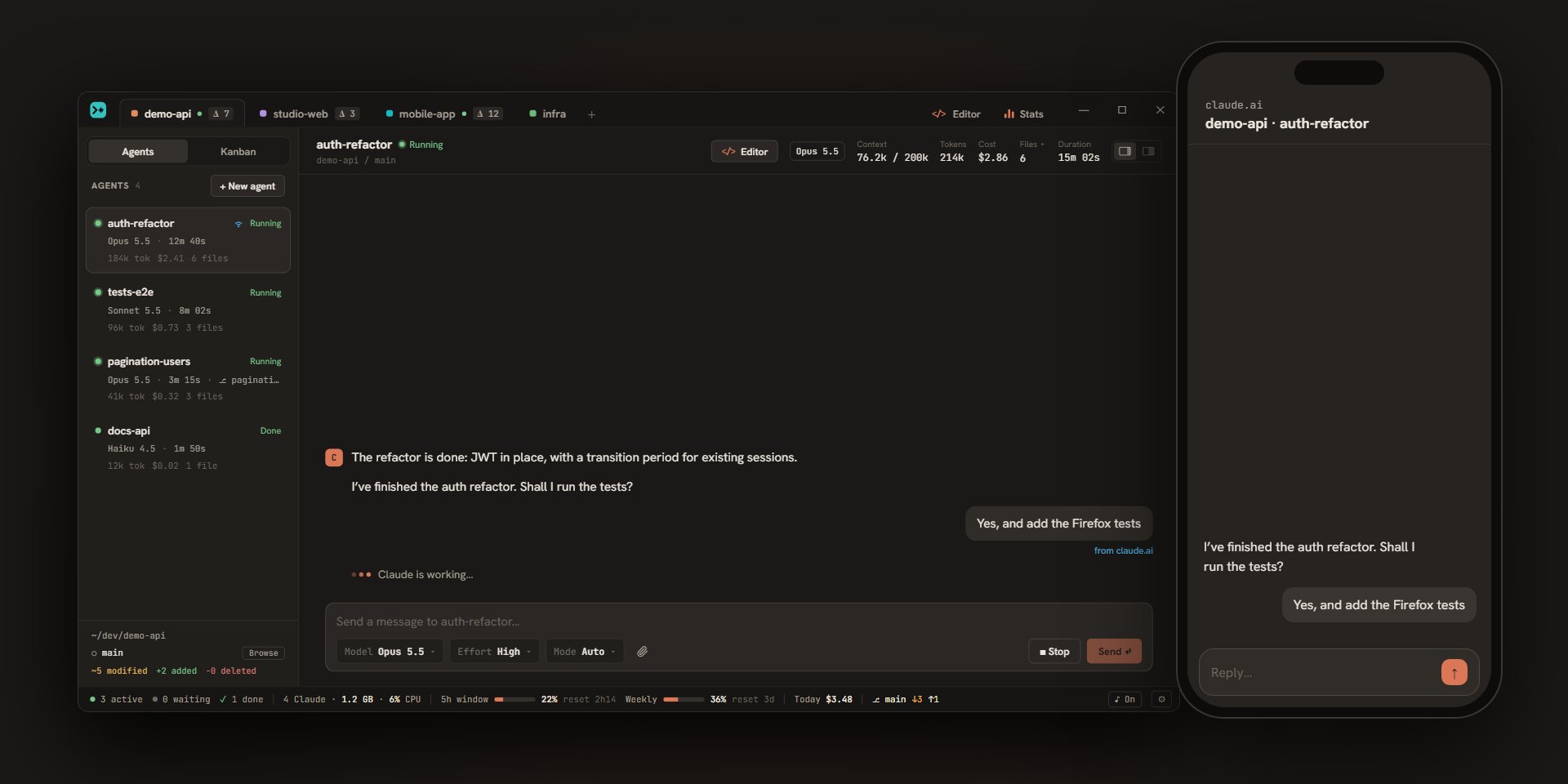
Escouade starts the agent’s process if it’s stopped and asks Claude Code to open the remote session. A message confirms: “refacto-auth is reachable from claude.ai and the Claude app”. The session is named project · agent there, for example demo-api · refacto-auth.
If Claude Code can’t open the session, an error message starting with “Remote control unavailable” appears, and the option stays off.
The menu of an archived agent doesn’t offer remote control. For an agent running in the Claude Code view, the entry is only offered if it’s already on: in that view, Claude Code’s interface /remote-control command turns it on and off, and switching views is refused while Escouade’s remote control is on.
What shows in Escouade
A wave icon appears on the agent’s card, after its name. It says how the link is doing, and its tooltip details it:
| Icon | Start of the tooltip | Meaning |
|---|---|---|
| Blue | “Remote control: connected” | The session is open and connected. |
| Gray | “Remote control: connecting…” or “Remote control: waiting for a connection” | The link is being established. |
Each tooltip ends with “(reachable from claude.ai and the Claude app)”.
When the agent is reachable, the card’s menu changes:
| Entry | Effect |
|---|---|
| Turn off remote control | Cuts the link (see below). |
| Open on claude.ai | Opens the session in your browser. |
| Copy the claude.ai link | Copies the session’s address (“claude.ai link copied”), to open it on another device. |
The last two entries appear as soon as the session’s address is known.
What you send to the agent from claude.ai or the Claude app also shows in Escouade’s conversation, in a bubble like yours, with the note “from claude.ai” (its tooltip says: “Sent from claude.ai or the Claude app (remote control)”).
How long the agent stays reachable
- As long as Escouade runs. The agent stays reachable when you close the window: it hides and the app goes on in the notification area (see agents). If you quit the app with “Quit”, the agents stop and are no longer reachable.
- No stop for inactivity. Escouade normally stops an idle agent’s process after a delay (30 minutes by default); an agent whose remote control is on keeps its process, to stay reachable.
- After a restart. Escouade restarts the agents whose remote control is on along with the app and reattaches their previous remote session: the link you had opened on your phone stays valid. If that session is gone in the meantime, a new one is opened, with a new link. If the link fails at startup, a “Remote control unavailable:” notice followed by the cause appears in the agent’s conversation.
Turning off remote control
Right-click the agent’s card, then “Turn off remote control”. Escouade asks Claude Code to close the remote session, the icon goes away, and the agent becomes an ordinary agent again (which the idle stop can stop again). Archiving or deleting an agent also turns off its remote control.